Creating Your Seller Account
To start selling on Craftory.lk, you first need to create a verified account. Follow these simple steps.
Step 1: Visit the Marketplace
- Search for "Craftory Marketplace" on Google or visit craftory.lk directly.
- On the homepage, look at the Top Navigation Bar.
- Click on the "Get Started" button.
Step 2: Fill the Registration Form
You will see the "Join Craftory" form. Enter your details accurately.
- First & Last Name: Enter your real name.
- Email: Use an active email address (you will need to verify this!).
- Mobile Number: Enter your contact number.
- Password: Create a secure password (at least 8 characters).
⚠️ Important: Select "Seller"
At the bottom of the form, looking for the "I want to be a..." dropdown.
- By default, it says "Customer".
- You must change this to "Seller".
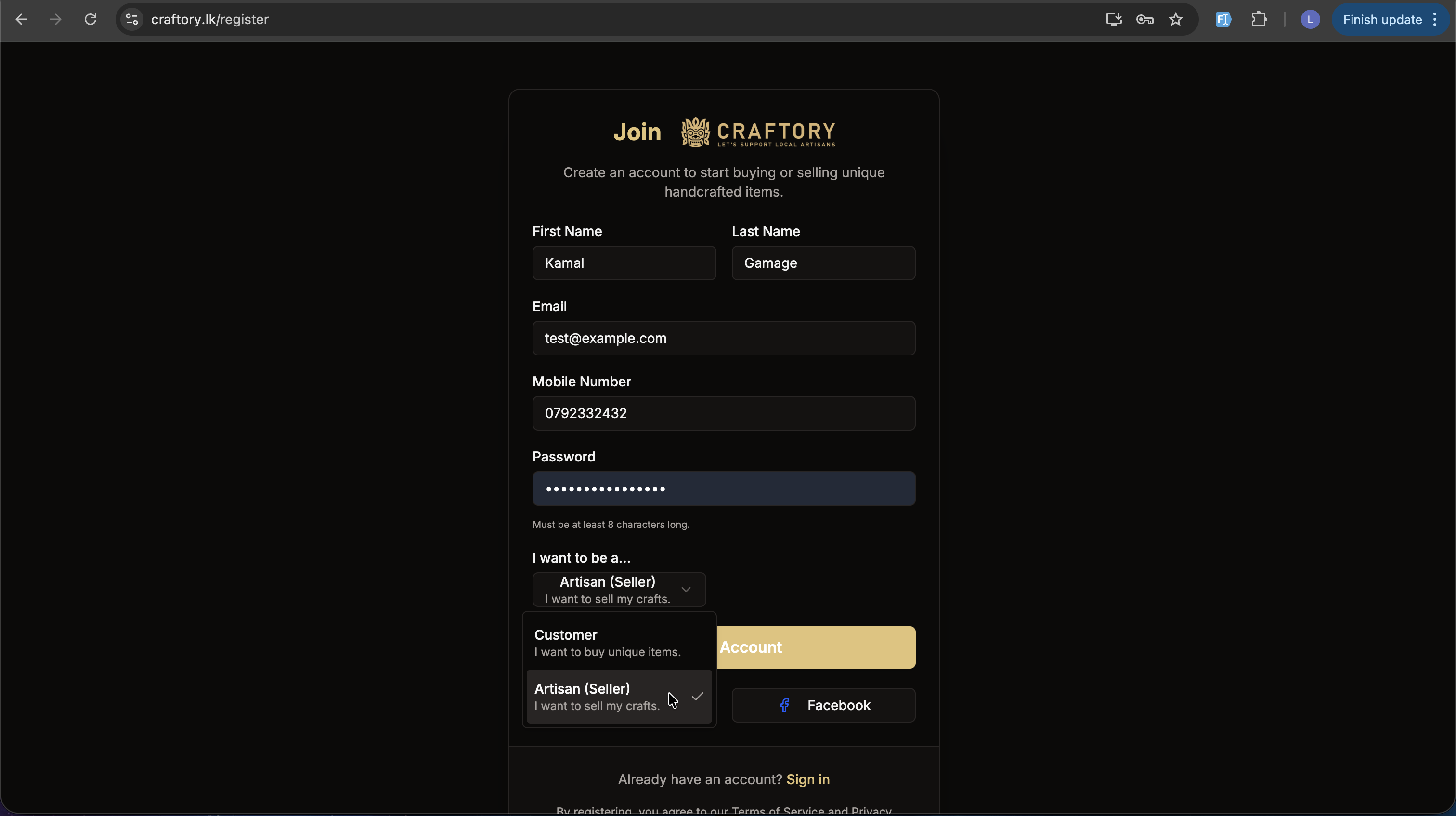
- Click Create Account.
Step 3: Verify Your Email
Once you submit the form, you will not be able to log in immediately. We need to verify you own that email address.
- Check your email inbox (Search for "Craftory Verification").
- Open the email and click the "Verify My Account" link.
- You will be automatically redirected to your new Seller Dashboard.
What's Next?
Congratulations! You now have a Craftory Seller account. However, your shop is not live yet. You must now complete the Identity Verification process to activate your store.
👉 Next Step: Complete Seller Verification